TL;DR:
- A complete and actively managed Google Business Profile is essential for attracting local customers and outranking competitors. Regularly verify ownership, update information, respond promptly to reviews and messages, and use strategic content to optimize visibility. Treat your profile as a living asset, leveraging ongoing audits and responsive communication to generate consistent leads.
Your Google Business Profile is either working for you or costing you customers. Right now, a potential client in your service area is searching for exactly what you offer. If your profile is incomplete, outdated, or missing key features, they are clicking on a competitor instead. To strengthen your Google Business Profile for leads, you need more than a claimed listing. You need a profile that is fully built out, actively managed, and optimized for the specific signals Google uses to rank local businesses. This guide walks you through every step, from the foundational setup to the ongoing habits that separate high-performing profiles from forgotten ones.
Table of Contents
- Key Takeaways
- Strengthen your Google Business Profile for leads: start here
- Optimizing every profile field for maximum lead capture
- Common mistakes that quietly kill your lead flow
- Measuring whether your profile is actually generating leads
- My honest take on what actually moves the needle
- How Trystellor makes this easier to sustain
- FAQ
Key Takeaways
| Point | Details |
|---|---|
| Claim and verify first | You cannot optimize a profile you do not control. Verify ownership before anything else. |
| Categories and completeness drive relevance | Choosing the right primary category and filling every field directly improves your local ranking. |
| Review velocity beats review count | Earning 8 reviews per month outranks a competitor sitting on 500 stale ones. |
| Messaging earns a responsive badge | Profiles that reply within 24 hours get prioritized placement in local search results. |
| Track actions, not just impressions | Calls, direction requests, and message clicks tell you whether your profile is generating real leads. |
Strengthen your Google Business Profile for leads: start here
Before you touch a single field in your profile, you need to confirm you own it and that your foundational data is clean. This is the plumbing behind the walls of your digital presence. If it is wrong, nothing else you do will work as well as it should.
Claim and verify your profile. Go to Google Business Profile Manager, search for your business, and follow the verification steps. Google typically verifies via postcard, phone, or video. Until you are verified, your profile has limited visibility and you cannot manage key features.
Audit your NAP data. NAP stands for name, address, and phone number. These three pieces of information must be identical across every platform where your business appears: your website, Yelp, Facebook, Apple Maps, and every directory listing. Accurate NAP across directories increases your prominence score in Google’s local ranking algorithm. Even a small inconsistency, like “St.” versus “Street,” can dilute your authority.
Run a baseline profile audit. Open your profile and score it against this checklist:
- Business name matches your legal or commonly known name
- Primary and secondary categories are selected
- Business description is written and keyword-rich
- All service areas and hours are filled in, including special hours
- At least 10 photos are uploaded
- Google Messaging is enabled
- At least one Google Post is live
- Q&A section has been seeded with common questions
Pro Tip: Use Google’s own “Profile Strength” indicator inside Business Profile Manager. It flags missing fields directly and shows you what percentage of your profile is complete.
Here is a quick reference for the tools you will use regularly:
| Tool | Purpose |
|---|---|
| Google Business Profile Manager | Core profile editing and insights |
| Moz Local or BrightLocal | NAP audit and citation management |
| Google Search Console | Website performance tied to local queries |
| Leadferno or similar SMS tools | Messaging response automation |
Optimizing every profile field for maximum lead capture
Once your foundation is solid, you move into the part that actually generates leads. Think of this as setting up your storefront window. Every element either pulls someone in or lets them walk past.
-
Select your primary category with precision. This is the single most impactful field in your profile. “Plumber” and “Emergency Plumber” are different categories with different ranking implications. Choose the most specific option that matches your core service. Add secondary categories for related services you offer.
-
Complete every available field. A complete and active profile is often the single most important factor in local SEO visibility. Fill in your services list with individual service names and descriptions. Add attributes like “veteran-owned,” “women-led,” or “free estimates” where applicable. These attributes show up in your profile card and influence clicks.
-
Write a business description that does real work. You have 750 characters. Use the first 250 wisely because that is what shows before the “more” cutoff. Include your primary service, your city or service area, and a clear call to action. Something like: “Austin’s top-rated HVAC company serving residential and commercial clients since 2010. Call us for same-day service.”
-
Upload photos that convert. Profiles with photos receive significantly more direction requests and website clicks than those without. Upload exterior shots, interior shots, team photos, and before-and-after project images. Add short videos showing your team at work. Aim for at least 15 to 20 images across different categories.
-
Enable Google Business Messaging. Google now features text messaging as a primary conversion action on Google Business Profiles. When a prospect sees your profile on mobile, the message button sits right next to the call button. If you are not responding, you are losing leads to whoever is. Connect an SMS tool so messages reach your phone instantly.
-
Publish Google Posts weekly. Businesses posting weekly offers see 15 to 25 percent more profile engagement. Use the “Offer” post type for promotions, “Event” for workshops or open houses, and “Update” for general news. Every post should end with a button linked to a specific page on your website.
-
Seed your Q&A section. Most business owners ignore this. That is a mistake. Anyone can post a question on your profile, and anyone can answer it, including your competitors. Log in weekly, post the five most common questions your customers ask, and answer them yourself. This controls the narrative and adds keyword-rich content to your profile.
Pro Tip: When writing service descriptions, include the city name and a specific outcome. “Roof replacement in Denver with a 10-year workmanship warranty” outperforms “roof replacement services” every time.
Common mistakes that quietly kill your lead flow
Even a well-built profile can underperform if you make the errors that are most common among local service businesses. Here is where most owners lose ground without realizing it.
Inconsistent information across platforms is the most widespread problem. If your Google profile says you close at 6 PM but your website says 5 PM, Google notices. So does the customer who shows up at 5:30. Run a citation audit every quarter using a tool like BrightLocal to catch these discrepancies before they cost you rankings.
Low review velocity is a ranking killer that most businesses misunderstand. A business gaining 8 reviews per month with a 4.6 rating outranks a competitor sitting on 500 total reviews but earning only one new one per month. Recency signals freshness and trust. Build a system: send a review request text or email within 24 hours of every completed job.
Violating Google’s review policies carries serious consequences. Google’s updated 2026 review policies forbid incentivized reviews, review gating (only asking happy customers), and family or employee reviews. Violations can trigger profile suspension. Keep your solicitation process simple: ask every customer, offer no reward, and let the reviews come naturally.
Responding to reviews is not optional. Profiles that respond to reviews, both positive and negative, signal to Google that the business is active and engaged. That responsiveness directly influences your local map pack rankings.
Ignoring your Q&A section creates a vulnerability. A competitor or a disgruntled customer can post misleading answers that prospects see before they ever call you. Check your Q&A at least once a week and flag any inaccurate answers for removal.
Pro Tip: Set up a Google alert for your business name so you are notified any time your profile is mentioned or updated. This gives you a faster feedback loop for catching unauthorized changes.
Measuring whether your profile is actually generating leads
A profile that looks good but does not generate calls is just a digital brochure. You need to track the actions that signal real lead intent, not just profile views.

| Metric | What it tells you | Where to find it |
|---|---|---|
| Calls from profile | Direct phone leads | GBP Insights > Calls |
| Direction requests | High-intent local prospects | GBP Insights > Directions |
| Website clicks | Traffic driven by your profile | GBP Insights > Website |
| Message volume | Text-based lead inquiries | GBP Messaging tab |
| Search queries | What terms trigger your profile | GBP Insights > Searches |
Your search queries data is especially valuable. If your HVAC business keeps showing up for “furnace repair” but you want more air conditioning jobs, add more AC-specific content to your service descriptions and posts. Your profile tells you exactly where the demand is.
Build a simple audit rhythm to stay ahead:
- Weekly: Respond to all reviews and messages. Publish one Google Post. Check Q&A.
- Monthly: Review Insights data. Update photos if needed. Add or refine services.
- Quarterly: Run a full NAP citation audit. Review category selection. Check competitor profiles for new features you may have missed.
Pair your profile data with your website analytics. If your profile drives 200 clicks per month to your site but your conversion rate is low, the problem may be your landing page, not your profile. These two data sources work together, and the local SEO strategies that connect them produce compounding results over time.
Pro Tip: Use UTM parameters on your Google Profile website link so you can track GBP-driven traffic separately in Google Analytics. This gives you a precise view of how many leads your profile is actually sending.

My honest take on what actually moves the needle
I have watched local service businesses spend months perfecting their website while their Google Business Profile sat at 40 percent completion. That is the wrong priority. In competitive local markets, your profile is often the first and only thing a prospect sees before they decide to call.
What I have found consistently is that two factors separate the businesses winning in local map packs from those stuck on page two. The first is review velocity. Not the total number of reviews, but the rate at which new ones arrive. A roofing company with 80 reviews earned over the past year will almost always outrank one with 300 reviews earned three years ago. The second factor is messaging response time. Profiles responding within 24 hours get prioritized in local results, and industry experts confirm that businesses not adopting responsive SMS tools are losing leads in real time.
The mistake I see most often is treating Google Business Profile optimization as a one-time project. It is not. Google keeps adding features, updating policies, and changing how it weights signals. The businesses that win treat their profile like a living asset, not a set-and-forget listing. Pair that discipline with a solid local SEO workflow and your profile becomes a genuine lead engine, not just a directory entry.
, Cole
How Trystellor makes this easier to sustain
Keeping a Google Business Profile optimized while running a service business is genuinely hard. The weekly posts, review follow-ups, citation audits, and messaging responses add up fast.
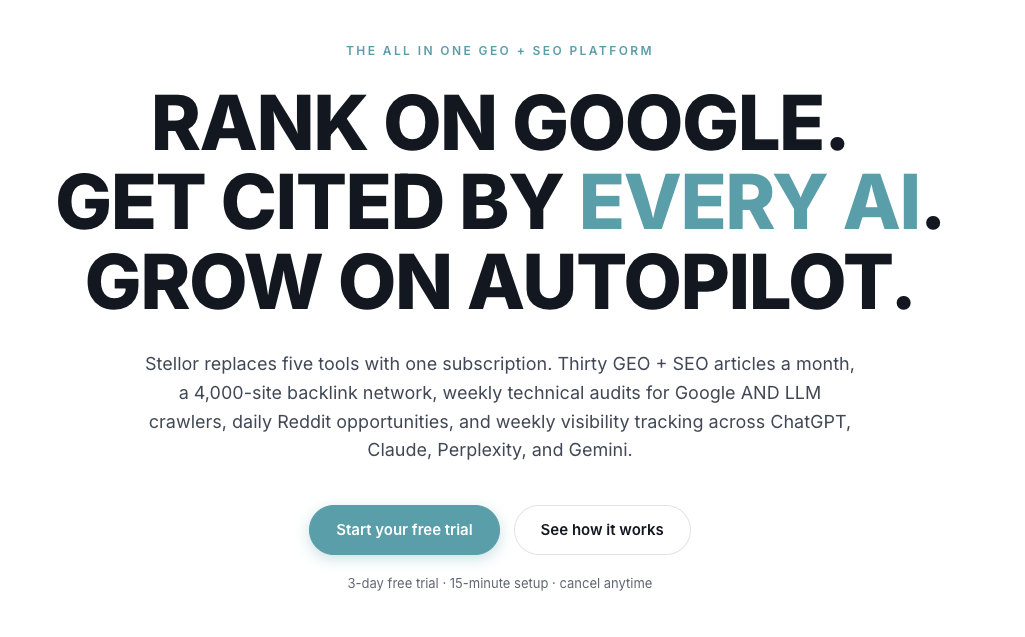
Trystellor is built for exactly this situation. The platform publishes 30 SEO-optimized articles per month to your site, feeds a 4, 000-site backlink network, runs weekly technical audits, and tracks your AI visibility across ChatGPT, Claude, Perplexity, and Gemini. Every piece of content reinforces your Google Business Profile by building the topical authority and backlink signals that Google uses to rank local businesses. For local service firms competing in crowded markets, this replaces five separate vendors at $199 per month. There is a three-day free trial with no credit card required, and you keep everything Trystellor produces even if you cancel.
FAQ
How do I strengthen my Google Business Profile for more leads?
Complete every available field, select the most specific primary category, enable messaging, post weekly updates, and build a consistent review acquisition system. Profiles that are complete and active generate significantly more calls and direction requests than incomplete ones.
Does review count or review velocity matter more for local rankings?
Review velocity matters more in 2026. A business earning 8 new reviews per month with a 4.6 rating will outrank a competitor with 500 total reviews but almost no recent activity.
What happens if I violate Google’s review policies?
Google can suspend your profile entirely. Google’s 2026 review policies prohibit incentivized reviews, review gating, and reviews from employees or family members. Ask every customer for a review, offer no reward, and keep the process consistent.
How does Google Business Messaging affect my local ranking?
Enabling text messaging and responding quickly earns your profile a “responsive” badge and improves your placement in local search results. Profiles that respond within 24 hours are prioritized by Google’s algorithm.
How often should I audit my Google Business Profile?
Review your Insights data and respond to all messages and reviews weekly. Run a full profile audit monthly and a citation consistency check across all directories every quarter.